Aliases, groups and docs
Short forms of your commands, groups to organize them, and their help.
Aliases
[CommandAlias("alias", "full command")] gives a command a shorter entry, or a fully specified one that
needs no argument at all. Put it next to [Command], as many times as you need:
[Command("timescale")]
[CommandAlias("pause", "timescale 0")]
[CommandAlias("resume", "timescale 1")]
[CommandAlias("slowmo", "timescale 0.25")]
static void SetTimeScale(float scale) => Time.timeScale = scale;- The full command starts with the name of the command (after its target, for a command that runs on objects:
@Player heal 100). - What you type after an alias is added at the end:
log "hello"runsecho -v log "hello". - An alias that doesn't give every required parameter still asks for the missing ones. One that gives them all has a button in the Commands tab.
- A parameter the alias already gives can't be given again:
warning "hi" -v errorfails. - An alias whose name is taken by a command or another alias is skipped, with a warning in Unity's Console.
Groups
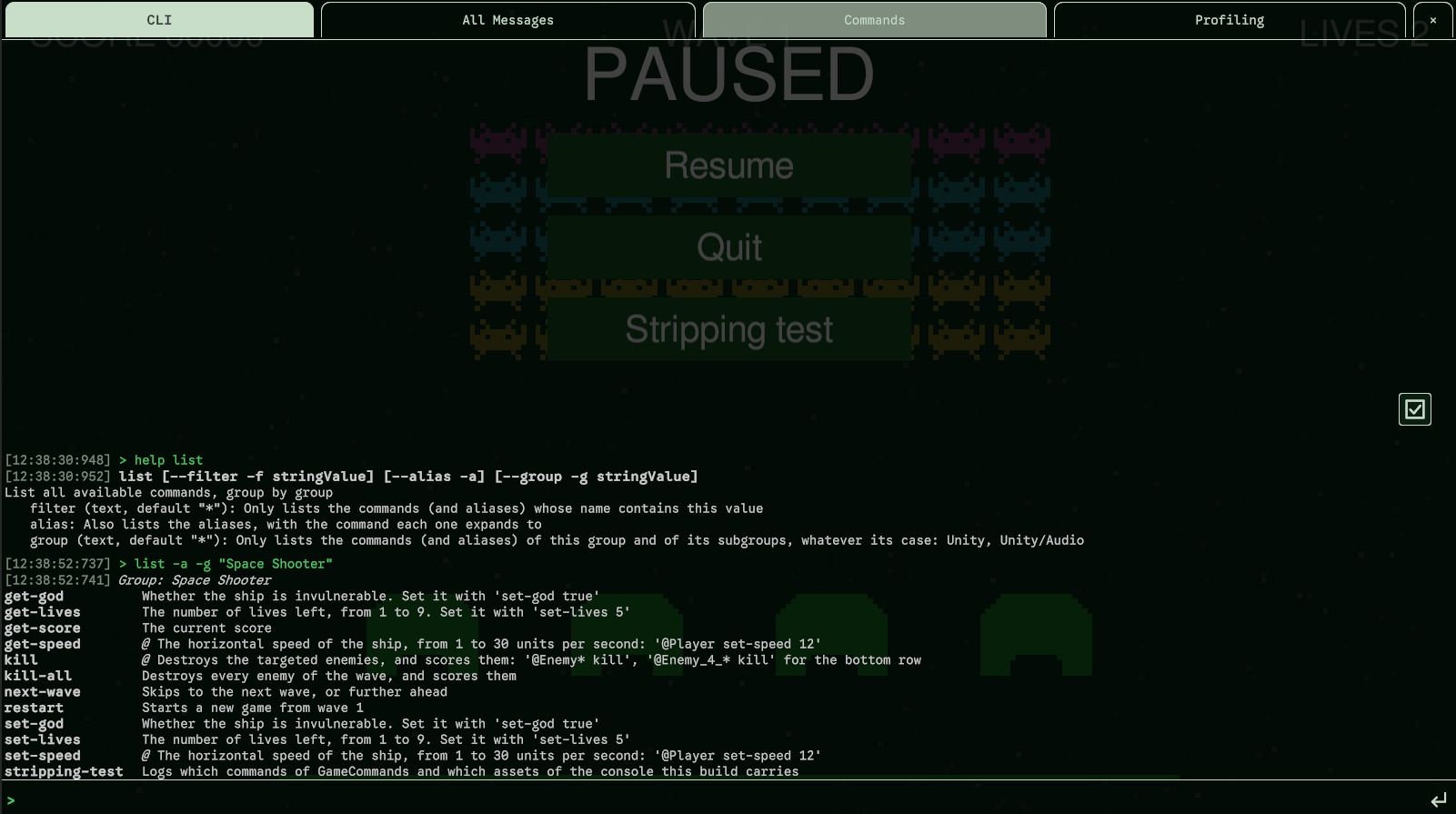
[CommandGroup] puts a command in a group. list shows the commands group by group, and the
Commands tab has a tab per group. A group is a path: every / starts a subgroup.
[Command("god-mode")]
[CommandGroup("Game/Cheats")]
static void GodMode() { }

[Command("give-gold")]
[CommandGroup("Game/Economy")]
static void GiveGold(int amount) { }- A command without a group is in the group
default. - An alias is in the group of its command.
- Spaces around a
/and empty parts don't count:" Game / /Cheats "isGame/Cheats. Case does:gameandGameare two groups. - The console's own commands are in
Console, those of the samples inUnity/...(Generic Unity commands) andSpace Shooter.
Documenting your commands
[CommandSummary("...")]on the method: a short description, shown bylistandhelp. A command without one showsTBD.[ParamInfo("...")]on a parameter: what it expects, shown byhelp.
[Command("echo")]
[CommandSummary("Display a message in the console")]
static void Echo(
    [ParamInfo("The message to display")] string message,
    [Shortcut('v'), ParamInfo("log, warning or error")] VerboseLevel verbose = VerboseLevel.Log)
{ /* ... */ }
list and help
> list -f spawn
> list -g Game
> list --alias
> help pauselistshows every command, group by group (defaultfirst, then by name), with its summary.-f textkeeps the commands whose name contains the text;-g Gamethe commands ofGameand of its subgroups (Game/Cheats...), whatever its case;--aliasalso lists the aliases and what they stand for.helpshows the syntax, the summary and the parameters of a command; for an alias, what it stands for, then the help of its command.- Both mark a protected command with Protected, and a command that runs on objects with an italic @.