All Messages and tags
Every message your game logs, filtered by severity and sorted by tag.
All Messages
The All Messages tab shows every message your game logs: Debug.Log,
Debug.LogWarning, Debug.LogError, exceptions and failed assertions, from any
thread. It even has what was logged while the game was starting, before the console existed.
Severity filters
The Logs, Warnings and Errors buttons above the log show or hide the messages of that severity. Each shows how many messages of its severity the log holds, shown or not. Exceptions and failed assertions count as errors.
The filters last for the session: they start with everything shown, and stay as you leave them when you close and open the console again.
Tags
Start your messages with tags between brackets to sort them:
Debug.Log("[Net][Lobby] player joined");
Debug.LogWarning("[Save] slot 2 is almost full");
The first message has the tags Net and Lobby. All Messages gets a tab per
tag, next to All: a tag's tab only shows the messages that start with that tag, and the
severity filters still apply.
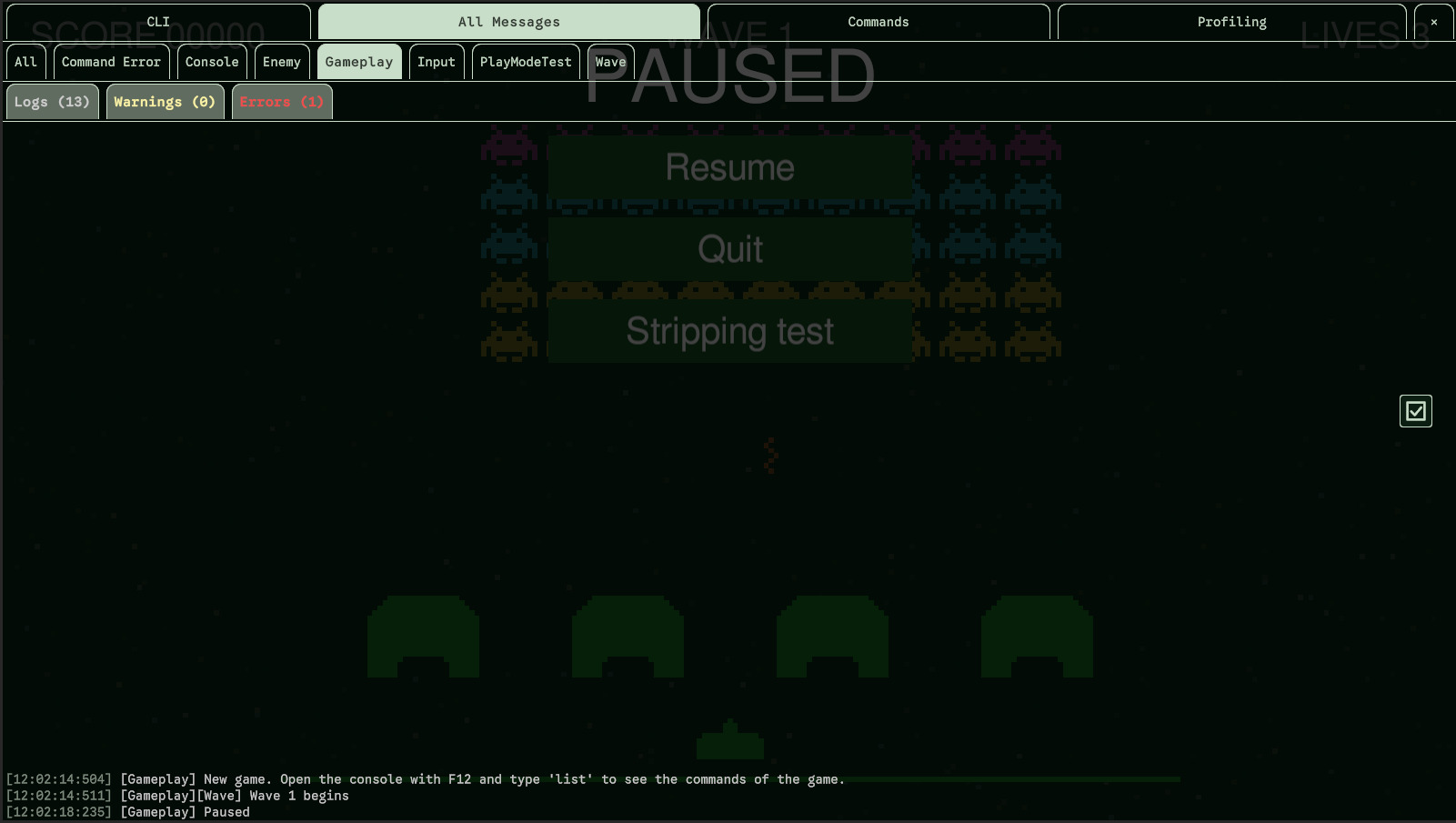
- A tag gets its tab the first time it is met, and keeps it for the whole session, even once its messages have left the log.
- Tags can be separated by spaces:
[Net] [Lobby]. - Their case doesn't matter:
[net]goes to the tab of[Net], named as it was first met. - The tags end at the first thing that isn't one: text, an empty or unclosed bracket, or a tag longer than 32 characters.
Finding a line
find-log lists the lines that contain a text, whatever its case, with the warnings and errors
marked as such. It searches All Messages, or the CLI with -t cli:
> find-log timeout
> find-log "null reference"
> find-log spawn -t cli
The last error
last-error shows the last error, exception or failed assertion the game logged, with its time,
even once it has left the log. last-error --trace adds its stack trace, which the log doesn't keep.
Errors logged by a command (a mistyped entry included) don't count: they are in the CLI already.
Clearing
cls (short for clear-screen) clears the CLI. cls --all clears All Messages
too, to only see what the game logs from now on.
Related settings
| Setting | Default | What it does |
|---|---|---|
| Max Log Lines | 512 | Lines kept in each log (CLI and All Messages). The oldest go first. |
| Log / Warning / Error colors | light gray / pale yellow / red | The color of each severity. Use the Terminal Colors puts the defaults back. |
They are in Project Settings > Mirage Console > Behavior.