Builds and code stripping
Development builds, Release builds, and how the console stays out of the ones you ship.
Where the console is active
| Where | Console |
|---|---|
| The Editor (Play Mode) | Active |
| A Development Build | Active (from Unity 6.8, only with the variant below) |
| From Unity 6.6, a build whose Managed Code Variant is Instrumented, Checked or Debug | Active |
| A Release build | Compiled out: its interpreter and interface aren't compiled, and neither its interface nor its settings are added to the build. A small assembly stays (the public API and the attributes), so your code still compiles. |
A Release build with ACTIVATE_CONSOLE_IN_RELEASE | Active |
Unity 6.6 and later
Unity 6.6 deprecates the DEVELOPMENT_BUILD symbol. It is replaced by the Managed Code
Variant (Player Settings > Other Settings), which sets the symbols of your code whether or not the
build is a Development Build. Its default, Release, sets none of them.
- The console is compiled where the variant is Instrumented, Checked or
Debug (they define
UNITY_INCLUDE_INSTRUMENTATION), in a Development Build or not. - Unity 6.6 and 6.7 still define
DEVELOPMENT_BUILDin a Development Build: the console is there, as before. - Unity has announced that 6.8 won't: a Development Build then needs one of those variants, or
ACTIVATE_CONSOLE_IN_RELEASE, to keep the console.
Unity explains the variants in Adding diagnostics to C# code.
Keeping it in a Release build
Add the scripting define symbol ACTIVATE_CONSOLE_IN_RELEASE, in either way:
- the menu Tools > Mirage Console > Toggle Console in Release, which adds or removes it for the active build target;
- Player Settings > Other Settings > Scripting Define Symbols, or your build pipeline.
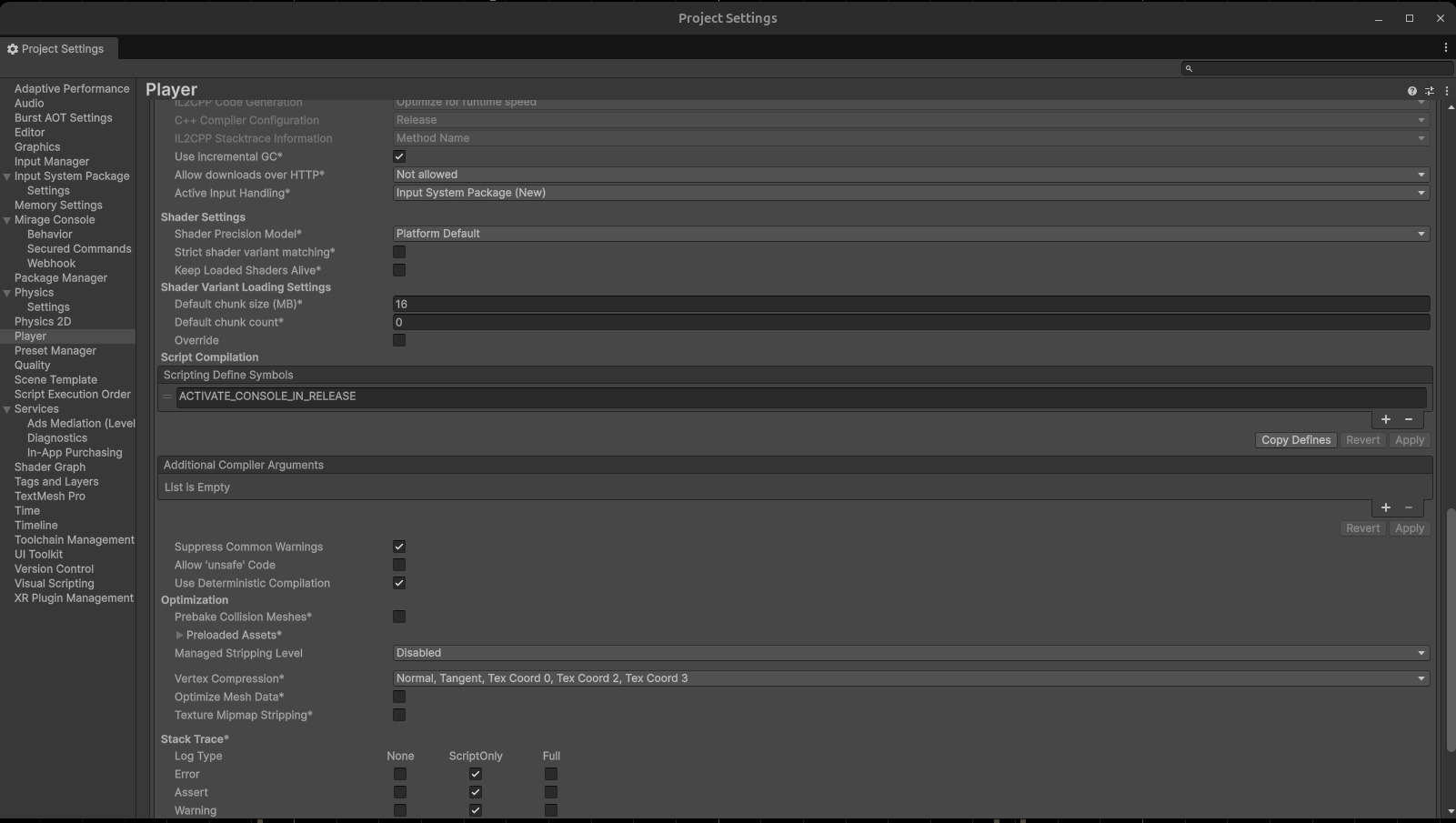
What goes into a build
The package has no Resources folder. The console's interface and its settings asset are added to the
Preloaded Assets of the Player for the duration of a build where the console is active, then taken out again.
You have nothing to do, and a Release build without the console carries none of its assets: no interface, no settings, not even the webhook URL.
The build logs a few lines starting with [Console] saying what it included.
If you have build scripts
- The console's build step runs late (
callbackOrder10000), after your scripts, and only touches its own entries of the Preloaded Assets. - If your scripts change the Preloaded Assets, read the array, change it and write it back (
GetPreloadedAssets,SetPreloadedAssets), rather than replacing it with a fixed list. - If a build fails or is cancelled, the console's entries are taken out of the list as soon as the build stops. If the Editor quits with it (a command-line build), they are taken out the next time the Editor loads, or by the next build.
- A settings asset left in a
Resourcesfolder logs a warning at each build: the Behavior page has a Move button for it.
Code stripping
Unity's managed code stripping removes code nothing seems to call, and commands are only reached by reflection.
You shouldn't need to do anything: [Command] and [SecuredCommand] keep their
method by themselves wherever the console is active, whatever the Managed Stripping Level.
If a command is still missing from a build (Unknown command, and list doesn't show it),
or if you'd rather not rely on it, you can:
- run the protected command
write-strip-filein the Editor (or Tools > Mirage Console > Write Strip File, which doesn't ask for the password). It adds every type of your project that has a command toAssets/MirageConsole/link.xml. It only adds entries;--allow-overwrite(-o) replaces the file with what it finds now.delete-strip-filedeletes the file. - put
[UnityEngine.Scripting.Preserve]on the method or its class; - put
[assembly: UnityEngine.Scripting.Preserve]in the assembly of your commands (the Generic Unity commands sample does this); - write a
link.xmlof your own:
<linker>
  <assembly fullname="MyGame.Commands" preserve="all"/>
</linker>
An assembly nothing references
With code stripping (IL2CPP builds, for Android or iOS...), Unity leaves out of the build an assembly that nothing
references, whatever its attributes. An assembly definition that only holds commands is often one: the console finds
them by reflection, nothing calls them. [Command] can't help there, since the whole assembly is gone:
the commands are Unknown command in the build, and fine in the Editor.
Put this in a file of that assembly (the Generic Unity commands sample does):
[assembly: UnityEngine.Scripting.AlwaysLinkAssembly]   // the linker processes the assembly, referenced or not
[assembly: UnityEngine.Scripting.Preserve]             // and keeps all it holds
A link.xml that names the assembly, like the one write-strip-file writes, keeps it too.
Keeping cheats out of Release
In a Release build without the console, your command methods can no longer be run through the console. Whether they stay in the player depends on your own code and on code stripping. To leave them out of the build entirely, put your commands in an assembly definition with the same Define Constraint as the console:
ACTIVATE_CONSOLE_IN_RELEASE || UNITY_EDITOR || DEVELOPMENT_BUILD || UNITY_INCLUDE_INSTRUMENTATIONThe assembly is then only compiled where the console is.