Samples
Ready-made commands for Unity's features, and a small game to try the console in.
The package comes with two samples. Their files are plain C# (and, for the game, a scene and its assets) you can read, change, and use as a starting point.
Importing a sample
- Open Window > Package Manager and select Mirage Console (under In Project).
- Open the Samples tab and click Import next to the sample.
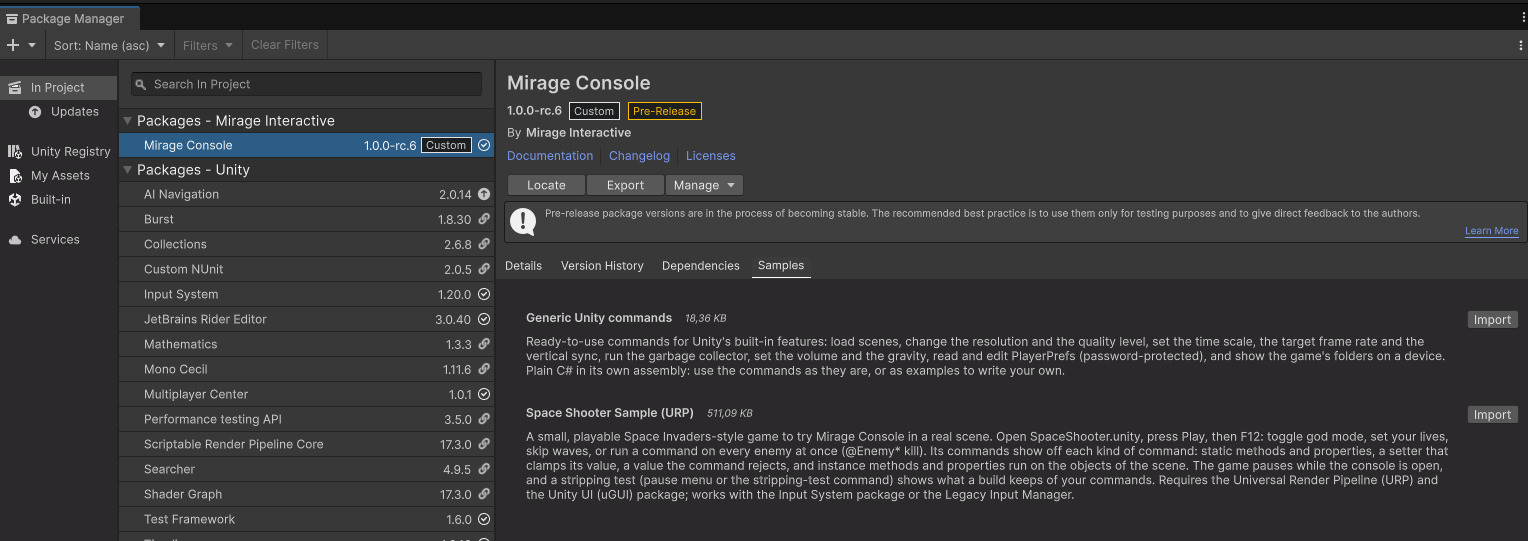
A sample is copied to Assets/Samples/Mirage Console/, and its commands appear in list and
in the Commands tab.
Generic Unity commands
Ready-made commands for Unity's own features, in groups under Unity/ (Unity/Audio,
Unity/PlayerPrefs...), to use as they are.
| Command | Does what |
|---|---|
set-resolution <width> <height> [-m mode] [-o] | Change the resolution; mode current, fullscreen or window |
get-resolution | Show the resolution and screen mode |
quality <level> | increase, decrease or a quality level index |
quit | Quit the application (leaves Play Mode in the Editor) |
scene <index-or-name> [-a] [-y] | Load a scene, additively (-a) or asynchronously (-y). Alias: apprestart |
timescale <scale> | Set Time.timeScale. Aliases: pause, resume |
target-fps <fps> | Set Application.targetFrameRate (-1: the platform's default) |
vsync <count> | Set QualitySettings.vSyncCount, 0 (off) to 4 |
gc [-u] | Run the garbage collector and show the memory before and after; -u also unloads unused assets |
paths | Show the folders the game reads and writes, to find its files on a device |
volume <percent> | Set AudioListener.volume, 0 to 100. Aliases: mute, unmute. Needs the Audio module. |
gravity <strength> [-d direction] | Set Physics.gravity: gravity 3.7 -d (0,-1,0). Alias: gravity-reset. Needs the Physics module. |
prefs-get <key> | Show a PlayerPrefs value and its type |
prefs-set, prefs-delete, prefs-clear | Write, delete one, or delete every PlayerPrefs key. Protected: they ask for the password. |
Space Shooter
A small Space Invaders-style game: one scene, a ship, waves of enemies. Open SpaceShooter.unity, press
Play, then F12. The game pauses while the console is open. Its commands, in the group
Space Shooter, show each kind of command:
| Entry | What it shows |
|---|---|
get-god, set-god true | A static property with a setter: a get- and a set- command |
set-lives 5 | A setter that clamps its value (1 to 9): the console shows what was kept |
get-score | A read-only property: no set-score |
kill-all, restart | Static methods |
next-wave --count 3 | An optional parameter, and a value refused with InvalidParameterValueException (a count below 1) |
@Enemy* kill, @Enemy_4_* kill | A method run on the objects whose names match: every enemy, or the bottom row |
@Player set-speed 12 | A property of a component |
stripping-test | Tells which commands and which assets of the console the build carries (see Code stripping). In a Release build, the console isn't there to run it: use the Stripping test button of the pause menu, with a high Managed Stripping Level |
It needs the Universal Render Pipeline (it brings its own URP asset: set it in Project Settings >
Graphics if your project doesn't use URP yet) and the Unity UI (uGUI) package. It plays with
the Input System package or the Legacy Input Manager. Its README.md has the controls and the details.