Commands on objects
Run a method or a property of a component on the objects of the scene: @Enemy* heal 20.
Methods of components
A [Command] on an instance method of a component (a MonoBehaviour...)
runs on the components the console finds in the loaded scenes. You say which ones by the name of their GameObject,
with @:
public class Enemy : MonoBehaviour
{
    int m_Hp = 100;

    [Command("heal")]
    [CommandSummary("Heal the enemy")]
    void Heal(int amount) => m_Hp += amount;

    [Command("hp")]
    int Hp() => m_Hp;   // what it returns is logged, for each enemy
}
> @Enemy* heal 20
[Console] 'heal' ran on 3 entities.
> hp @"Enemy 2"
Enemies/Enemy 2 (Enemy): 120
[Console] 'hp' ran on 1 entity.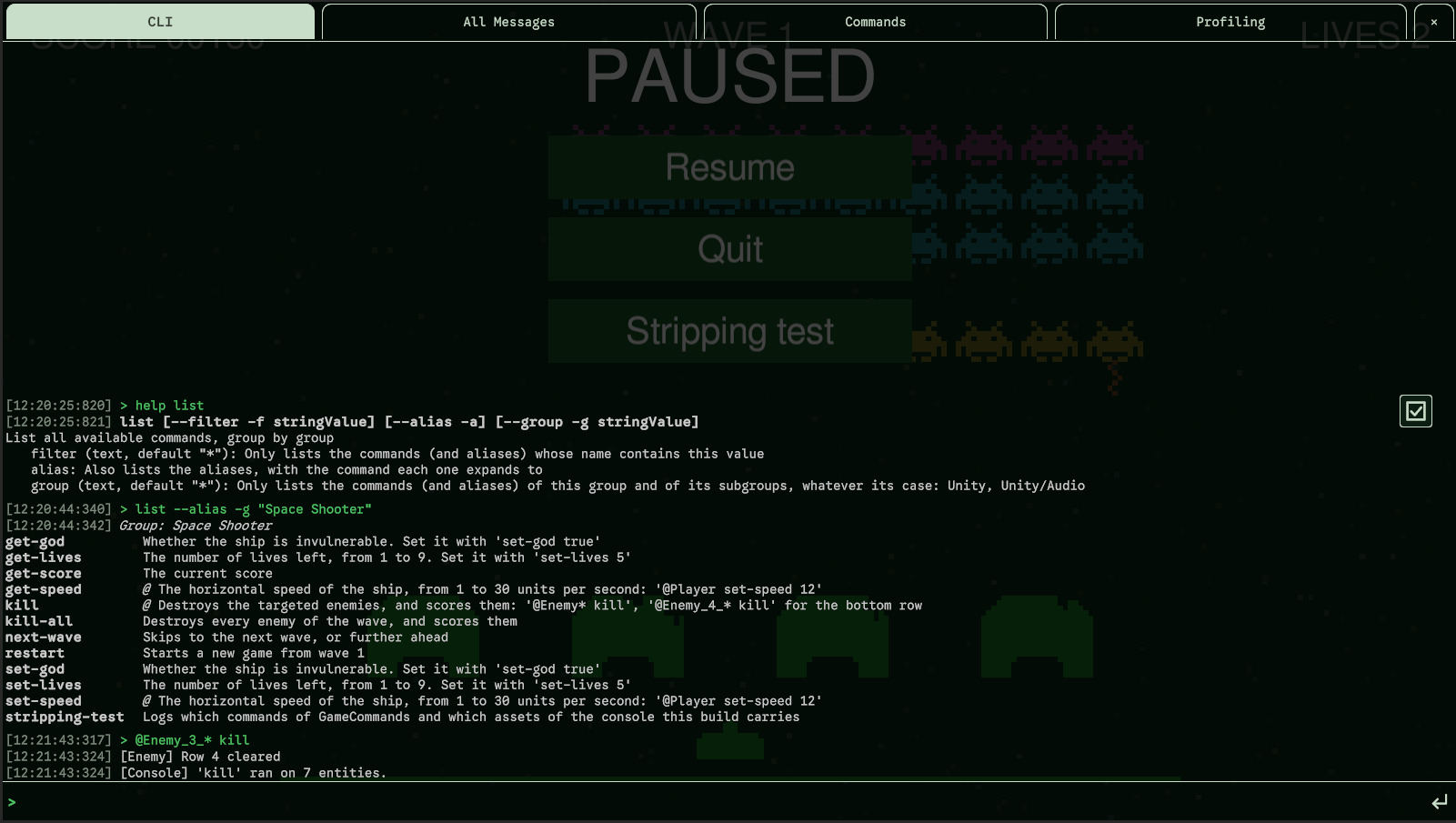
- The method may be private. Its class must be a component and not generic.
- On each object, in the order of the hierarchy: what the method returns is logged on a line (where the object is, its type, the value). What it throws is logged with the object, and doesn't stop the others. A last line says on how many objects it ran.
- No object matching the target is a warning.
Targets
| Target | Runs on |
|---|---|
@Player | The GameObjects named Player, whatever the case |
@Enemy* | The names that start with Enemy; * stands for any characters |
@* | Every object that has the command |
@"Main Camera" | A name with spaces, quoted |
@!Enemy*, @!* | The inactive ones too |
- Only the active ones are targeted: the GameObject active in the hierarchy, and the component enabled.
@!adds the inactive ones. - The target comes first or last, never in the middle:
@Enemy* heal 20andheal 20 @Enemy*are the same. - A command on objects needs a target, unless the setting below gives it one; a static command can't take one. At the end of a static command, a word that starts with
@is a value:echo @bob. - Tab completes the names of the objects after
@: see Tab completion.
Without a target
What a command on objects does when it is typed without @name is a setting: Without a Target, in the Behavior page.
| Setting | heal 20 runs on |
|---|---|
Do Not Run (default) | Nothing: the console asks for a target |
First In Hierarchy | The first active object that has the command, in the order of the Hierarchy window: the scenes in the order they were loaded, then from the roots down, a parent before its children |
All Active | Every active object that has the command, as @* heal 20 |
> heal 20
[Console] 'heal' ran on 1 entity (no target: the first active one in the hierarchy; @name for another).- A target given always wins over the setting.
- With
First In HierarchyorAll Active, the usage shows the target as optional ([@<target>] heal <amount>),helpsays what happens without one, and a command that needs no argument gets a button in the Commands tab.
One command, several types
Several types can declare the same command, kill on Player and on Enemy:
@* kill runs the kill of every object that has one.
- They must have the same parameters, be in the same group, and be protected alike. The summary is the first one found.
- A type that overrides its base type's command runs its own.
- A name can't be both a static command and a command on objects.
Properties
[Command] can also go on a property, of a component or static. A property makes
two commands: get-<name> shows its value, and set-<name> <value>, when the
property has a setter (even a private one), sets it, then shows it:
public class Enemy : MonoBehaviour
{
    [Command("armor")]              // get-armor, set-armor
    int Armor { get; private set; }

    [Command("is-boss")]            // get-is-boss only: no setter
    bool IsBoss => m_Boss;
}

public static class AudioCommands
{
    [Command]                       // named after the property: get-master-volume, set-master-volume
    static float MasterVolume
    {
        get => AudioListener.volume;
        set => AudioListener.volume = value;
    }
}
> @Enemy* set-armor 5
Enemies/Enemy 1 (Enemy): 5
Enemies/Enemy 2 (Enemy): 5
[Console] 'set-armor' ran on 2 entities.
> get-master-volume
master-volume: 1
> set-master-volume 0.5
master-volume: 0.5- The names are the one given by
[Command], or the property's name in kebab-case, afterget-andset-. A name that already starts withget-orset-has it replaced, not doubled:[Command("get-lives")]makesget-livesandset-lives. - The value is shown under the name of the property. After
set-, it is read back from the property: what the setter kept, if it clamps the value. - A property with a setter must be of a supported type, or only its
get-is registered. One without a setter can be of any type: its value is shown as text. get-<name>needs no argument: it has a button in the Commands tab (for a component's property, when a target is given by the settings). Both commands share the group, the summary and the protection of the property, and an alias on it can start with either:[CommandAlias("mute", "set-master-volume 0")].- A property must have a getter, and can't be an indexer.
Extension methods
A [Command] on an extension method of GameObject or of a component runs
on the objects it extends, which it gets as its first argument:
public static class DebugExtensions
{
    [Command("rename")]
    static void Rename(this GameObject gameObject, string newName) => gameObject.name = newName;

    [Command("heal")]   // the same command as Enemy.Heal
    static void Heal(this Player player, int amount) { /* ... */ }
}
> @!Medic rename Doctor
[Console] 'rename' ran on 2 entities.- It can share its command with instance methods, as
healabove: each object runs the version of its most derived type. - It extends
GameObjector a component, not an interface. A command runs on GameObjects or on components, not both.
Aliases and buttons
By default, a command on objects has no button in the Commands tab: it needs a
target. With Without a Target set to First In Hierarchy or
All Active, one that needs no argument has its button. An alias
can also give it a target, and then has a button:
[Command("heal")]
[CommandAlias("heal-player", "@Player heal 100")]   // a button in the Commands tab
[CommandAlias("heal-some", "heal 20")]              // typed with a target: @Enemy* heal-some
void Heal(int amount) { /* ... */ }
An alias that gives its target takes no other.