Commands tab
One click per command: a button for every command that needs no argument.
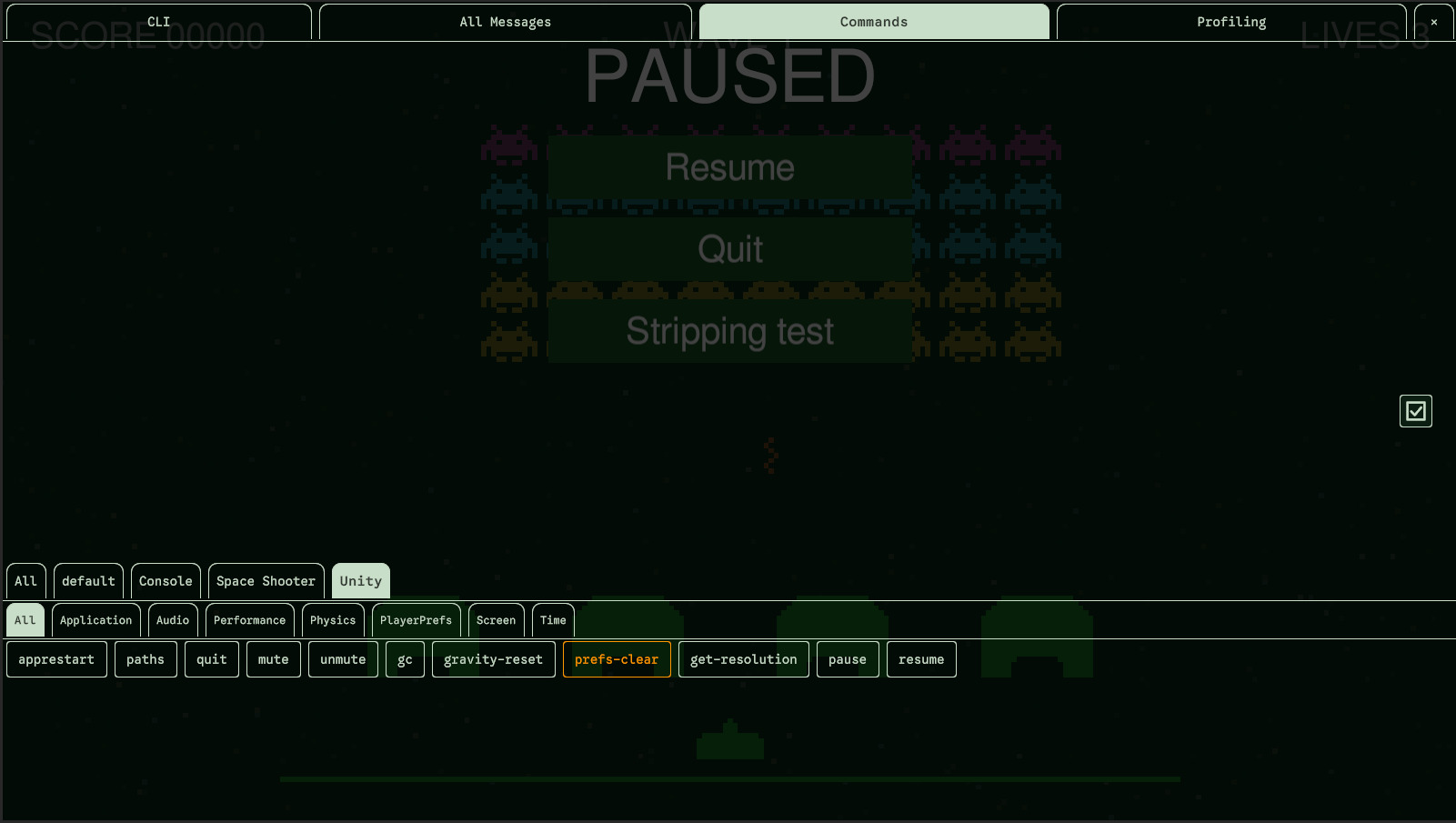
The Commands tab has a button for every command that can run without an argument. A click runs it exactly as if you had typed it in the CLI and pressed Enter. What it logs appears above the buttons.
Which commands get a button
- A command that has no required parameter:
cls,sysinfo,greetfrom the tutorial. - An alias that gives its command every required parameter:
pause(timescale 0) has a button,log(echo -v log, still missing the message) doesn't. - A command that runs on objects needs a target, so it has no button, unless the setting Without a Target gives one to an entry without it, or an alias gives it one:
[CommandAlias("heal-player", "@Player heal 100")].
The buttons are made once, when the console starts: a command registered later doesn't get one.
Groups
Above the buttons, a tab per group: All shows every button, a group's tab shows the buttons of the group and of its subgroups. When a group has subgroups, a second row of smaller tabs offers them, with an All of its own, and so on down the levels.
Protected commands
The button of a protected command, or of an alias of one, is orange: it asks for the password before running.
Layout
The log takes two thirds of the height of the tab, the buttons and their group tabs one third; scroll the buttons when there are more. The lines of the log can be selected, copied and sent like those of the CLI, with a selection of their own.