Protected commands
Ask for a password before a command that can do harm.
A command that can do harm when used carelessly (wiping a save, granting anything, skipping a level) can ask for a password before it runs.
Declaring one
Use [SecuredCommand] instead of [Command]. Everything else is the same: the name, the
parameters, [CommandSummary], [CommandAlias]...
[SecuredCommand("wipe-save")]
[CommandSummary("Delete the save of the player")]
static void WipeSave() { /* ... */ }
list and help show Protected before its summary, and its button in the
Commands tab is orange.
Setting the password
Open Edit > Project Settings > Mirage Console > Secured Commands. With no password yet, the page only asks you to create one: type it twice and press Set Password.
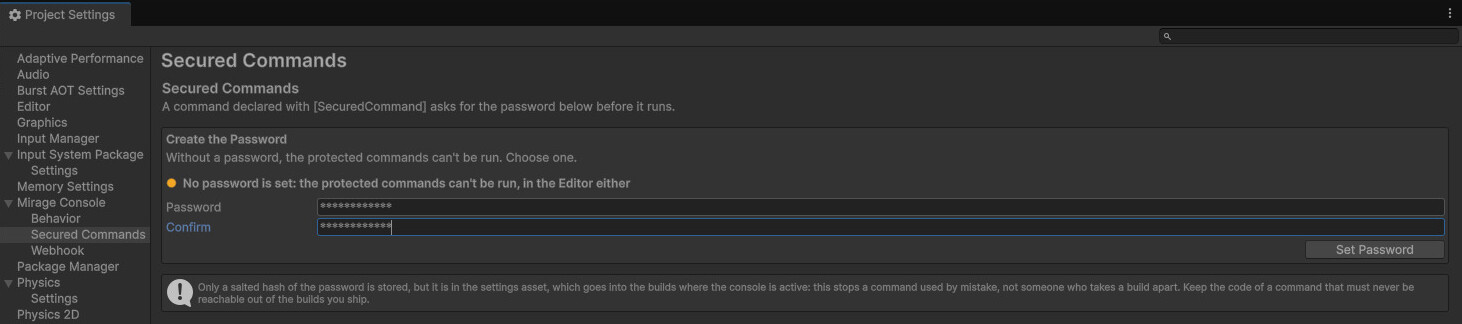
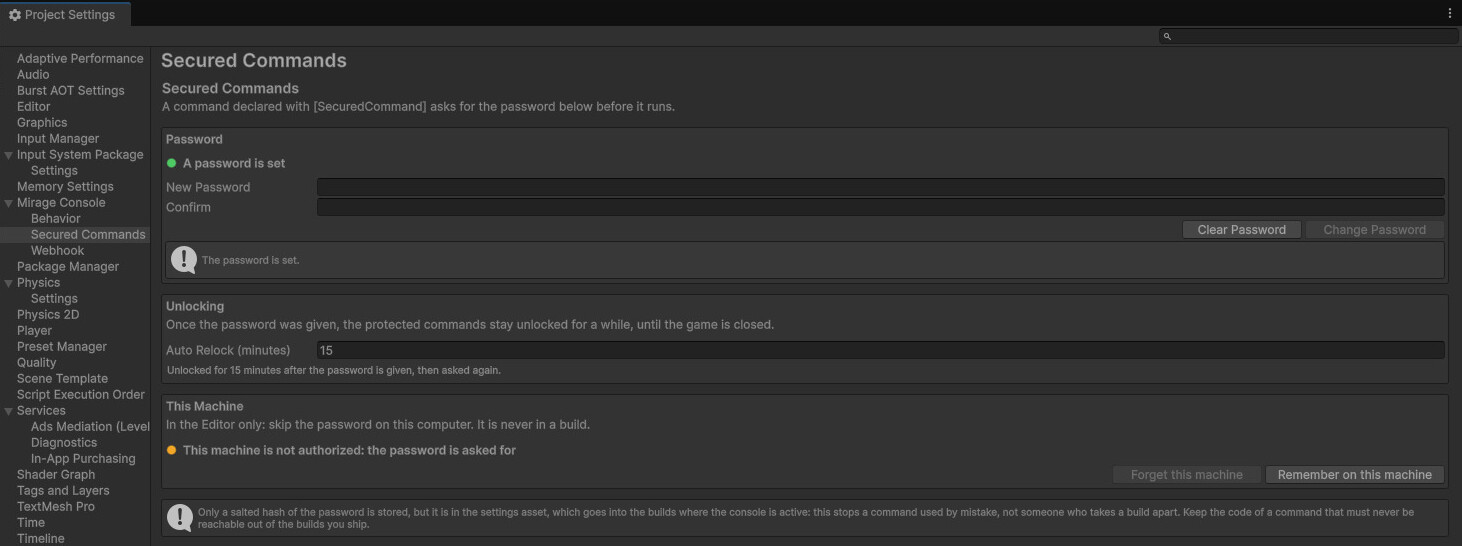
Once a password is set, the page asks for it before showing anything (Unlock). Unlocked, it shows:
| Setting | What it does |
|---|---|
| Change Password | Replace the password |
| Clear Password | Remove it: the page goes back to creating one |
| Auto Relock (minutes) | How long the commands stay unlocked once the password is given. Default 15; 0 asks every time. |
| This Machine | Remember on this machine / Forget this machine: see below |
With no password set, a protected command can't run at all, in the Editor either: it logs why.
Running one
When a protected command is run (typed, from a button, or by your game with MirageConsole.Execute), a
popup asks for the password, masked. Enter is OK, Esc is Cancel.
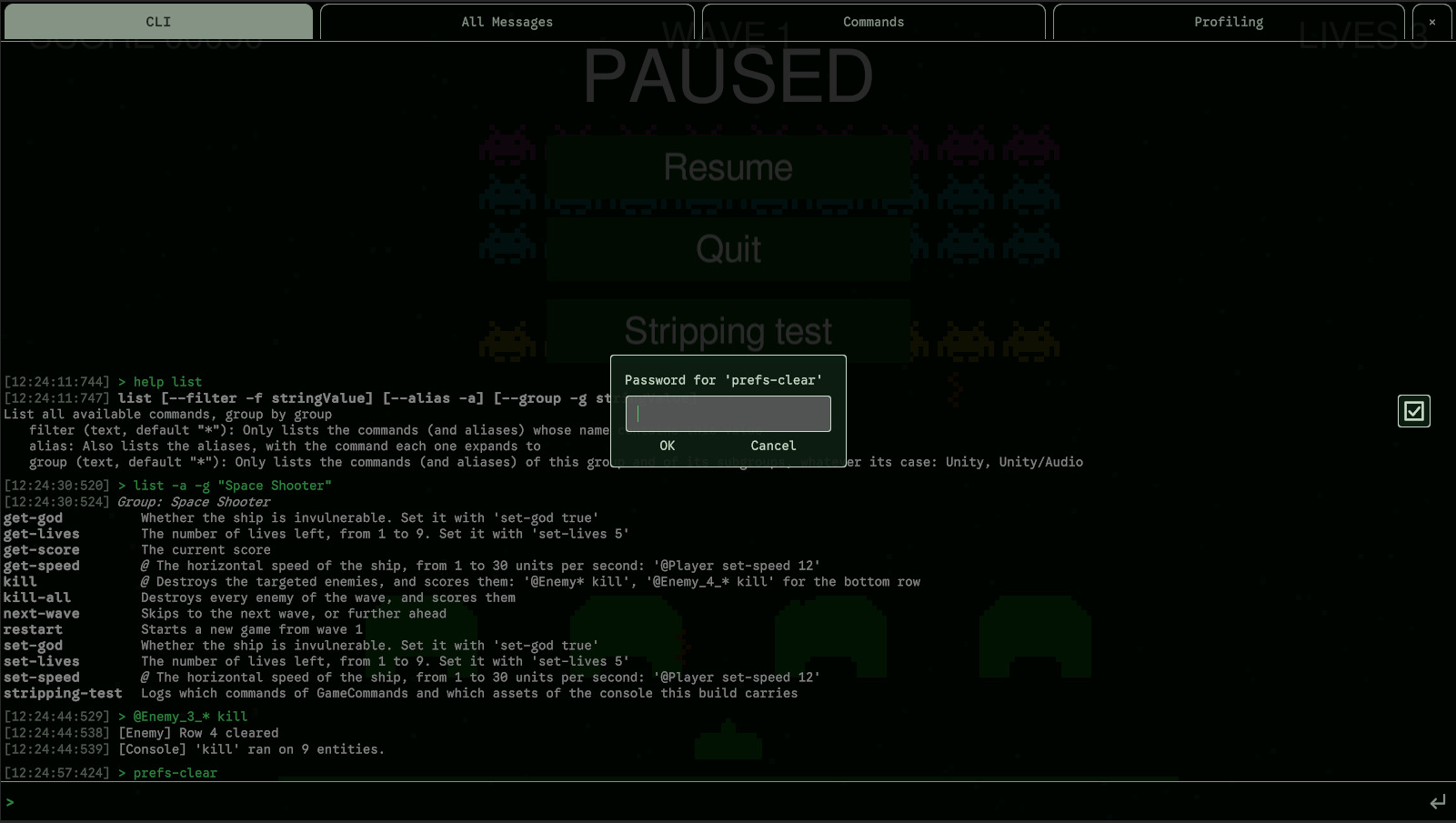
- The entry is checked first: a mistyped entry is reported without asking for a password.
- A wrong password, Cancel or closing the console logs
[Console] 'wipe-save' was not run: wrong password.and nothing else runs. - The password is never logged, never written in the command line, never kept in the history.
- If your game runs a protected command while the console is closed, the console opens to ask, then closes again.
Staying unlocked
Once the password is given, the protected commands stay unlocked for Auto Relock (minutes), counted from the moment it was given; then the next one asks again. Quitting the game locks them.
Your machine, in the Editor
So that you aren't asked a dozen times a day, the Secured Commands page can authorize your machine: unlock it and press Remember on this machine. From then on, in the Editor on this machine, the page opens unlocked and the protected commands don't ask. Forget this machine takes it back.
- The authorization is kept in the Editor's preferences, on this machine only, and never goes into a build.
- It is made from the hash of the password and the path of the project, not from the password.
- It goes away when the password is changed or cleared.
What it protects against
The password is stored in the settings asset as a salted hash (PBKDF2, 100,000 rounds), never as text, and checked in constant time. It keeps a command from being run by mistake or by a curious tester.