Profiling tab
FPS, frame time and memory at a glance, and a recording to export.
The metrics
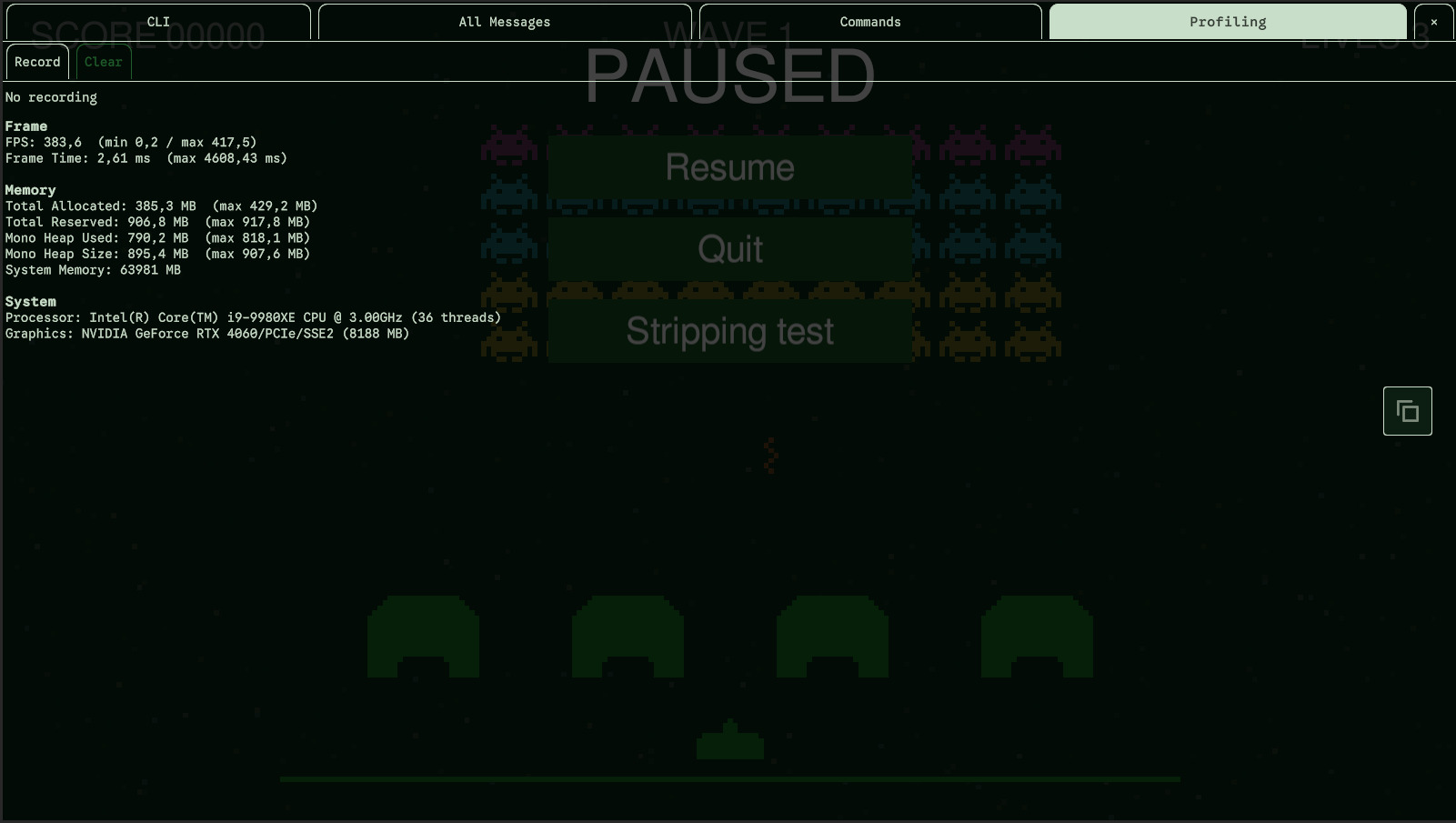
The Profiling tab shows a few performance metrics, refreshed twice a second while it is shown. It doesn't replace Unity's Profiler: it is enough to eyeball performance in a build, on the device, without connecting anything.
| Section | What it shows |
|---|---|
| Frame | FPS and frame time, each with the minimum and maximum since the game started. Every frame is measured, even while another tab is shown, so a spike isn't missed. |
| Memory | Total allocated and reserved memory, Mono heap used and size, each with its peak. |
| System | System memory, processor and graphics device. |
Recording
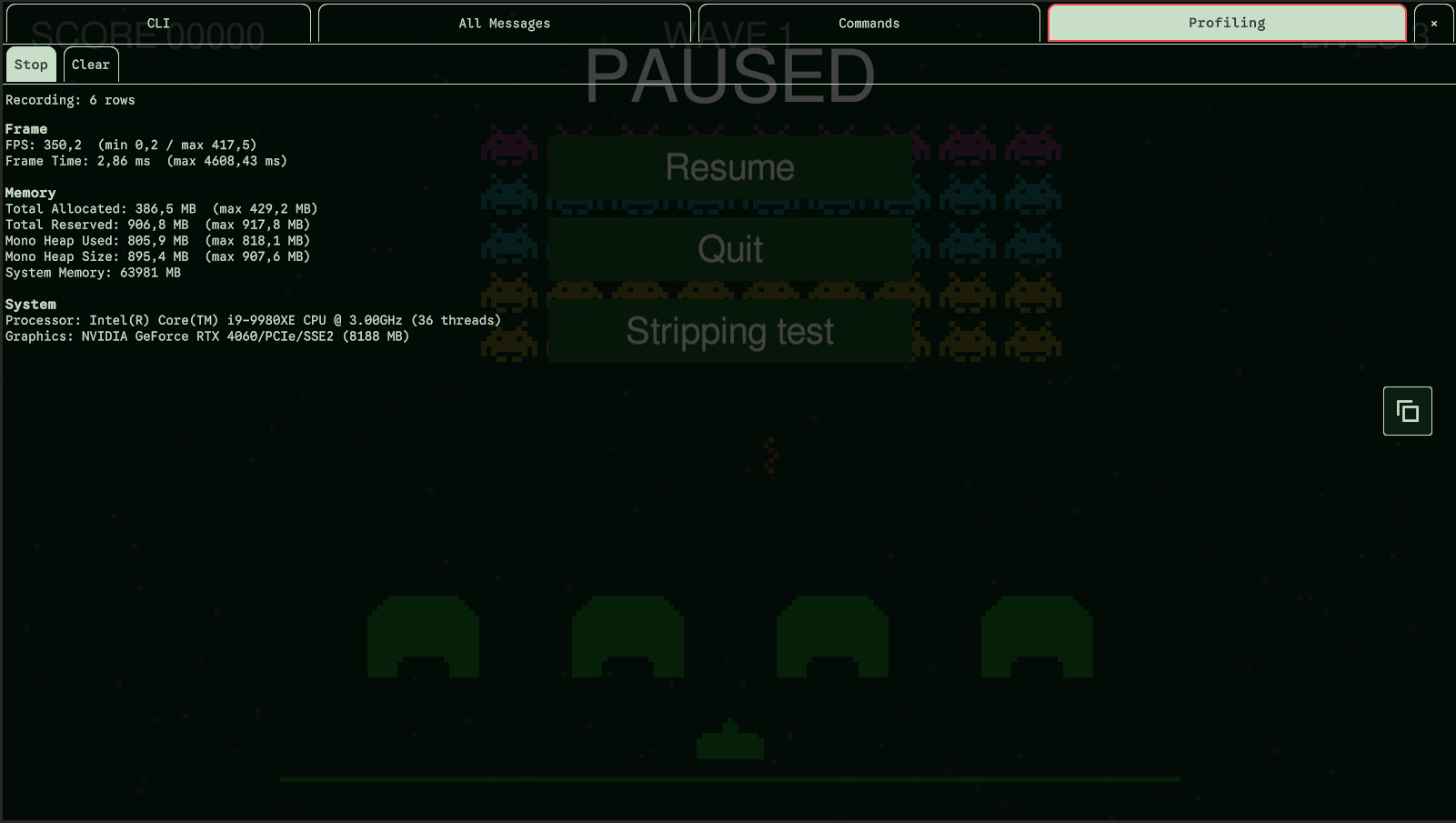
The Record button records the game's performance as rows of numbers, to read afterwards or to send. It records nothing until you press it, and goes on whatever tab is shown, even with the console closed, until you press Stop. Clear empties the recording.
- One row covers an interval, half a second by default: the frames of that time are summed up, and the memory is read at its end.
- The recording keeps the last 1,200 rows (ten minutes at half a second); the oldest make room for the newest.
- A stopped recording resumes where it stopped. The interval under way when you stop is dropped: a row always covers a whole interval.
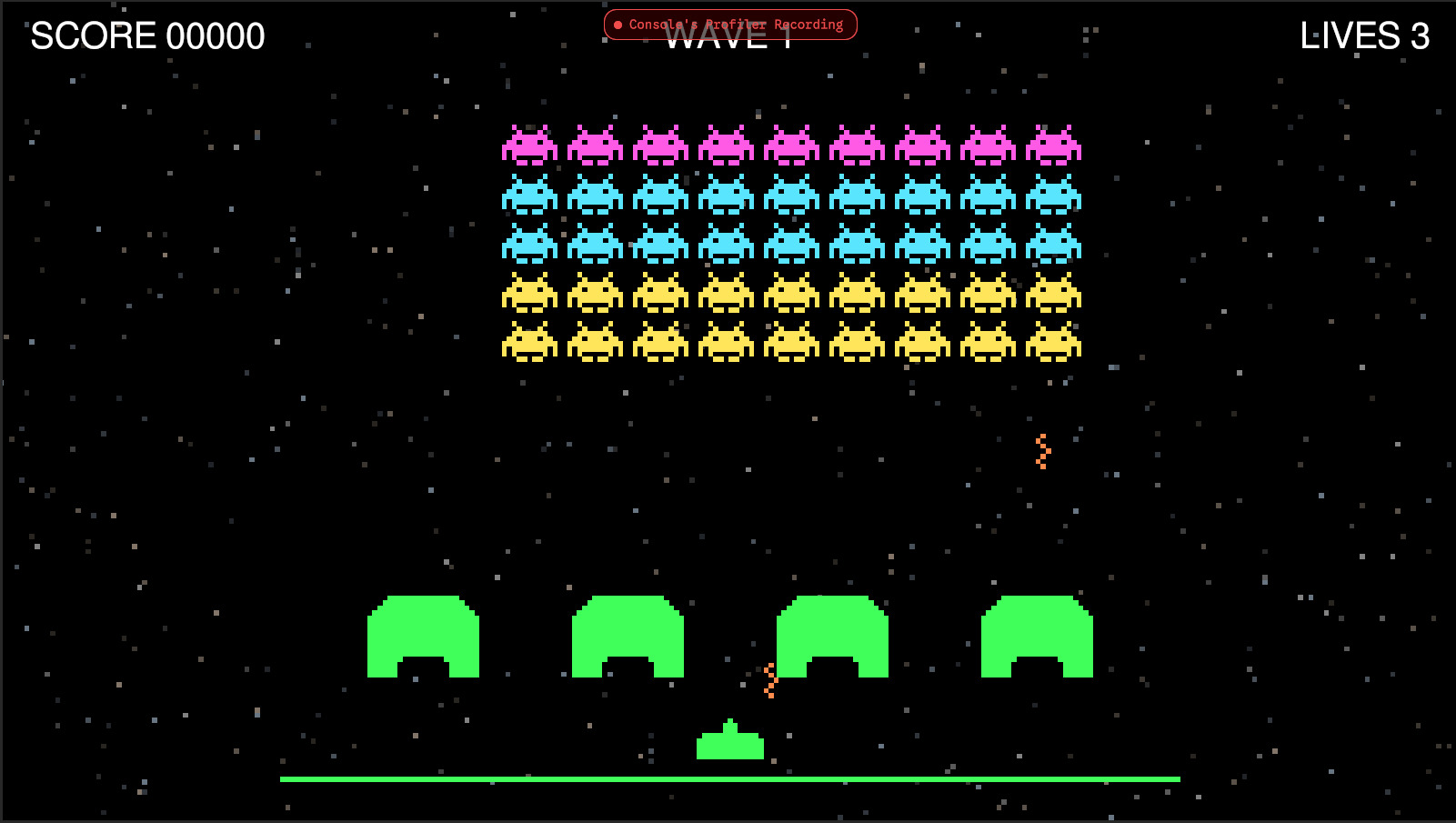
While it records, the Profiling tab is outlined and lettered in red. With the console closed, a banner, Console's Profiler Recording, shows at the top of the screen so that a recording nobody stopped doesn't go unnoticed. The banner lets clicks and touches through to your game.
The CSV
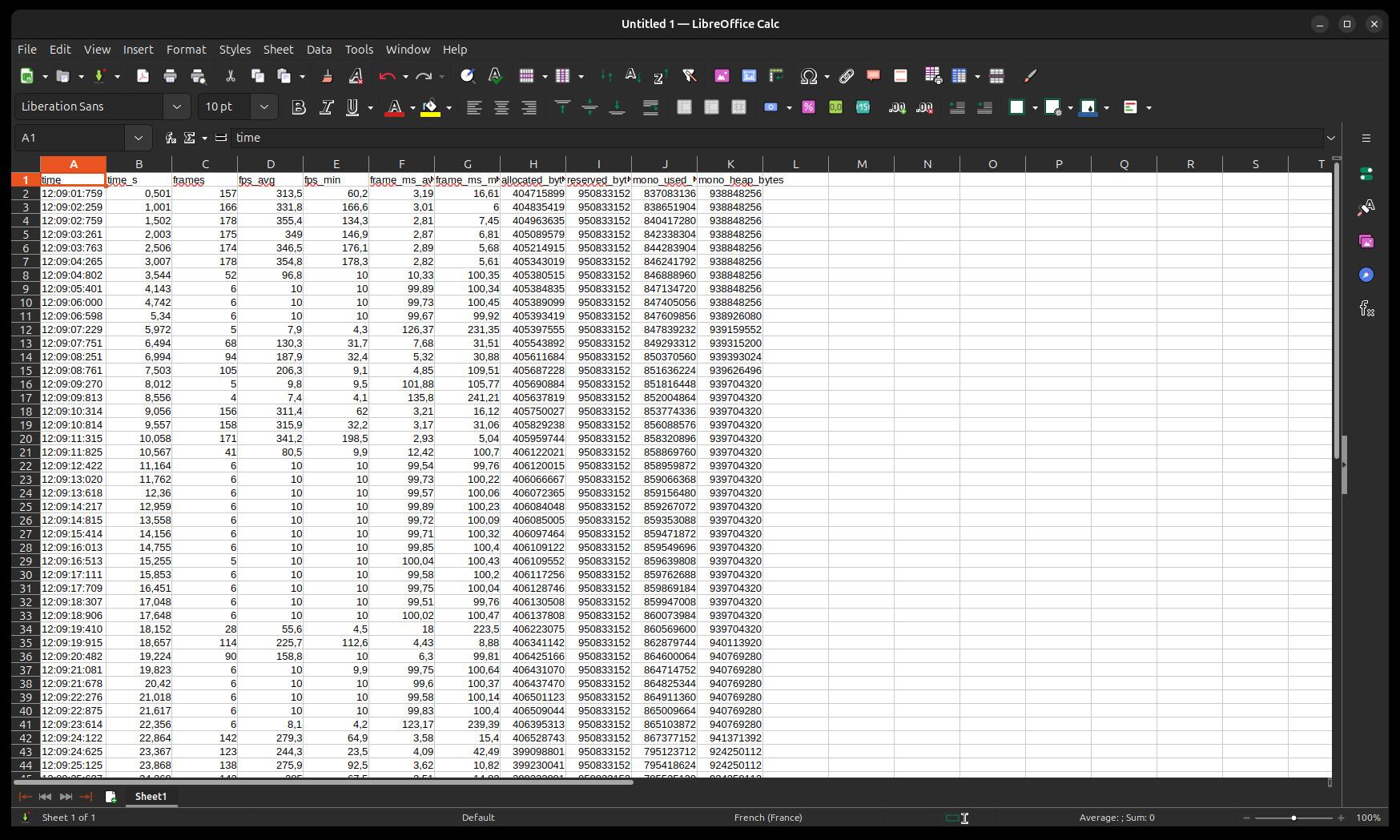
The recording is a CSV: a header, then a row per interval, oldest first. Decimals are written with a dot, whatever the language of the device.
| Column | Meaning |
|---|---|
time | The time at the end of the row, on the device's clock: 14:03:22:517 |
time_s | Seconds of recording at the end of the row (only the time spent recording) |
frames | Frames in the row |
fps_avg / fps_min | Frames per second over the row, and the rate of its slowest frame |
frame_ms_avg / frame_ms_max | Milliseconds per frame, average and worst. They don't depend on the time scale: a paused game is recorded too. |
allocated_bytes / reserved_bytes | Total allocated and reserved memory, in bytes |
mono_used_bytes / mono_heap_bytes | Mono heap used and size, in bytes |
Copying and sending
The toolbox at the middle right of the Profiling tab takes the whole recording:
- Copy (two sheets) copies it to the clipboard, to paste it in a spreadsheet.
- Send (an envelope), when a webhook is set, sends it after asking for a message, as a file named
profiling-2026-09-27-14-03.csv(the date and time it was taken).
A recording under way is copied or sent as it is so far, and goes on.
Commands
| Command | Does what |
|---|---|
toggle-record | Starts the recording, or stops it: the Record / Stop button |
clear-record | Clears the recording: the Clear button |
copy-record | Copies the recording to the clipboard, as CSV |
Related settings
| Setting | Default | What it does |
|---|---|---|
| Profiling > Interval (seconds) | 0.5 | How long a row of the recording covers |
| Profiling > Max Rows | 1200 | How many rows the recording keeps |